How to Change Phone Number for SASSA SRD R370 Grant in 2026?
Your phone number connects you to your grant money. Lose that number, and the South African Social Security Agency (SASSA) can’t reach you no OTP, no payment alert, no way to log in. This guide walks you through every way to fix it, step by step.
Quick Answer: To change your SASSA SRD R370 phone number in 2026, visit https://srd.sassa.gov.za/sc19/mobile-number-update, enter your ID number, complete identity verification, then confirm your new mobile number using an OTP. Without an Application ID or OTP access, visit your nearest SASSA office with your South African ID for manual identity verification and update.
What Is the SASSA SRD R370 Grant?
The Social Relief of Distress (SRD) grant, worth R370 a month, is a welfare payment run by SASSA under South Africa’s Department of Social Development. It supports unemployed South Africans and residents who fall below the means-test threshold and have no other form of income support.
According to SASSA’s own figures, millions of beneficiaries rely on this grant monthly, making it one of the country’s largest social relief programmes.
Because the grant is fully digital, your registered mobile number acts as your identity key. SASSA uses it to send OTPs, confirm payment dates, and alert you to fraud. A wrong or outdated number can delay or block your payment entirely so keeping it current isn’t optional admin, it’s part of staying eligible and paid on time.
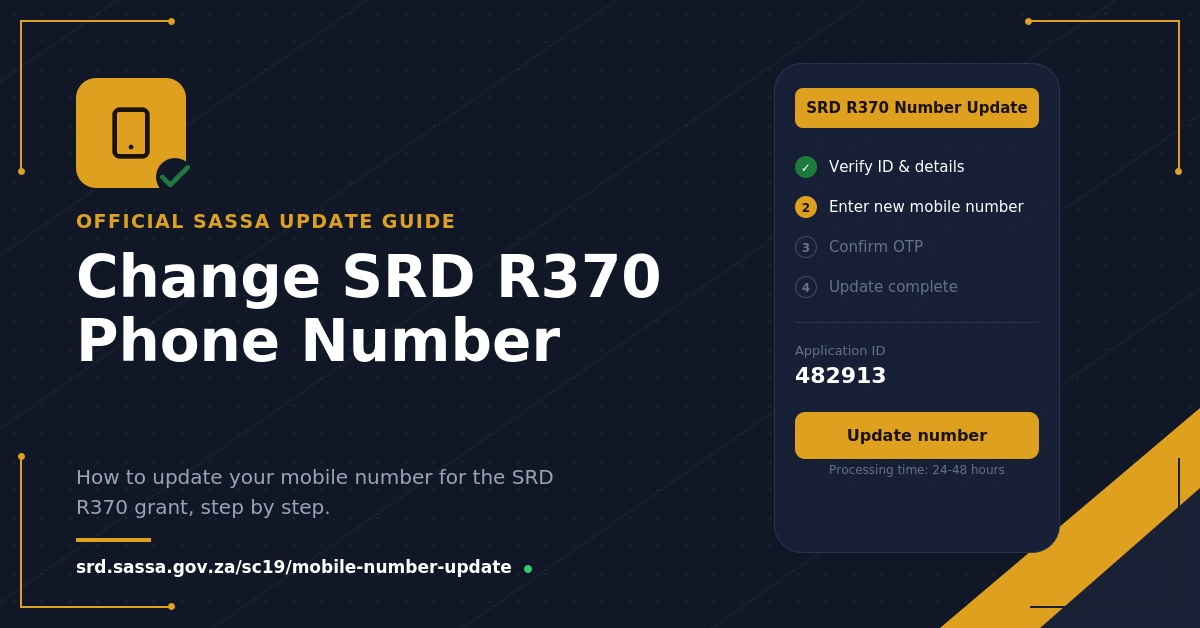
Why Your Registered Phone Number Matters?
SASSA links every part of your SRD application to one mobile number. This single number controls:
- OTP access for logging into the SASSA SRD status portal
- Payment confirmation messages
- Grant status updates (approved, pending, or declined)
- Security alerts if someone tries to change your details
If that number stops working, you’re effectively locked out of your own beneficiary account even though your grant itself may still be active.
If your SASSA Grant application was declined and you’re going through a SASSA appeal, keeping your phone number updated is just as important, since SASSA sends appeal outcome notifications to the same registered number.
What You Need Before You Start?
Have these details ready before you begin. It saves time and reduces failed verification attempts.
| Requirement | Details |
| South African ID number | 13-digit green ID book or smart ID card |
| SASSA Application ID | 6-digit reference from your original SRD application |
| New mobile number | Active South African number registered in your own name |
| Access to the new number | Needed to receive the OTP for confirmation |
Missing your Application ID? A workaround is covered further down.
How to Change Your SASSA SRD for R370 Phone Number Online?
This is the quickest official route for most beneficiaries.
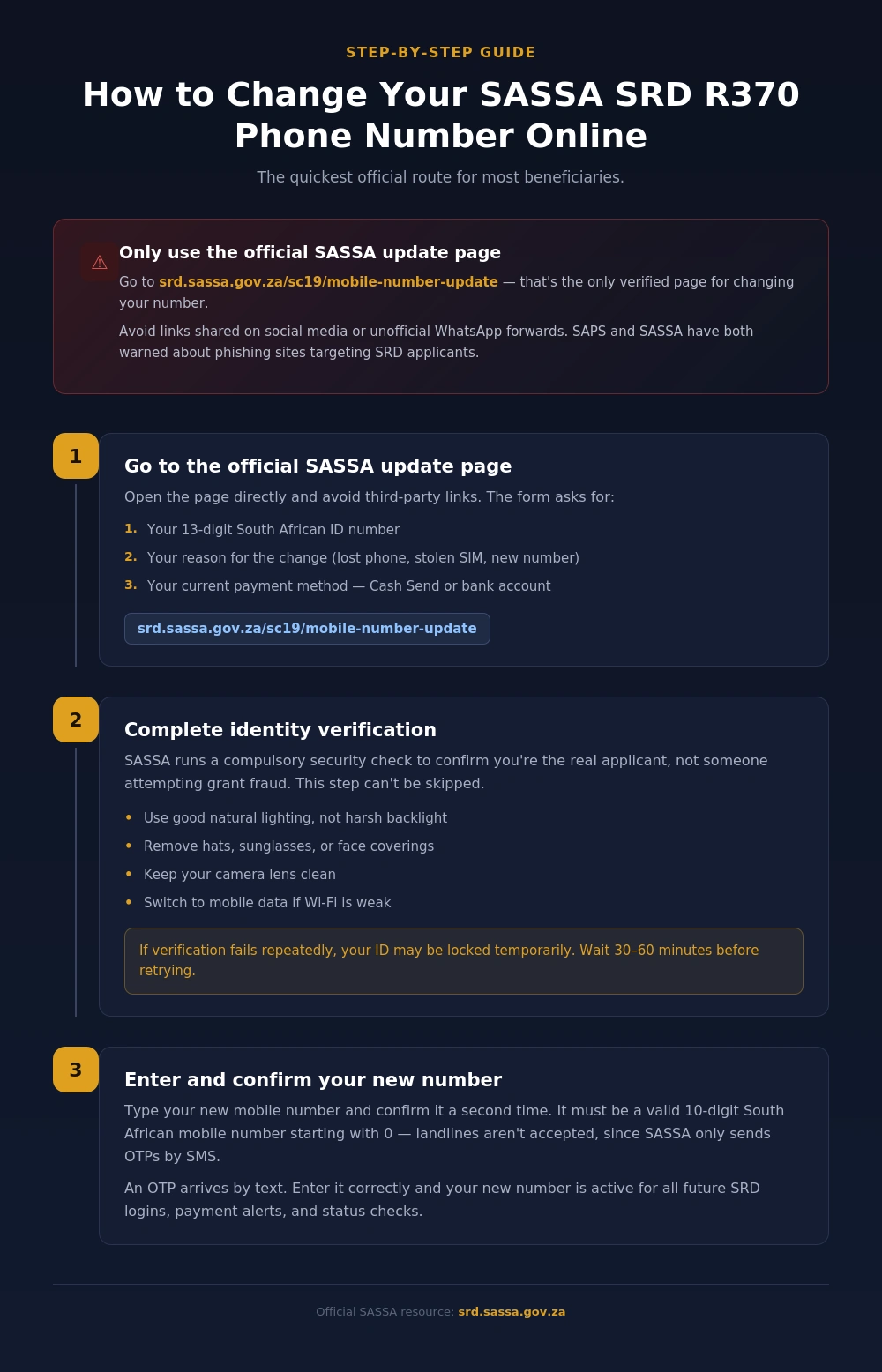
Step 1: Go to the Official SASSA Update Page
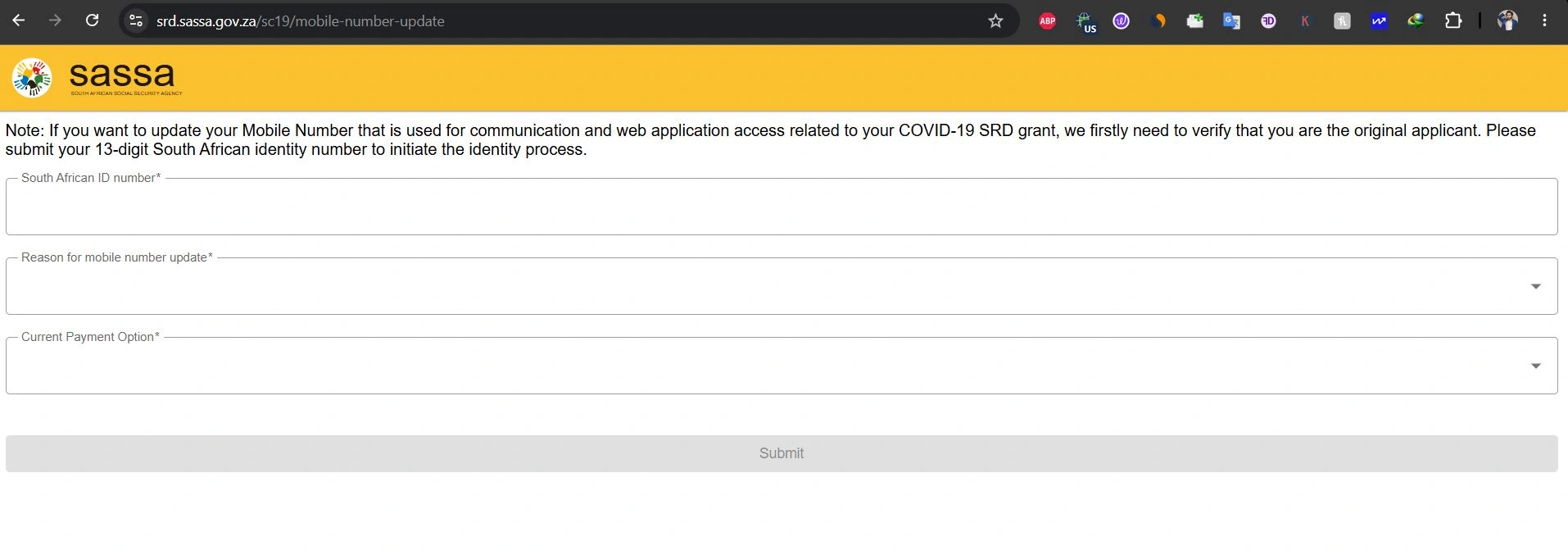
Open https://srd.sassa.gov.za/sc19/mobile-number-update directly. This is SASSA’s only verified page for this task. Avoid links shared through social media or unofficial WhatsApp forwards — the South African Police Service (SAPS) and SASSA have both warned about phishing sites targeting SRD applicants.
The form asks for:
- Your 13-digit South African ID number
- Your reason for the change (lost phone, stolen SIM, new number)
- Your current payment method — Cash Send or bank account
Step 2: Complete Identity Verification
SASSA runs a security check to confirm you’re the real applicant, not someone attempting grant fraud. This step is compulsory and can’t be skipped.
A few tips that help this go smoothly:
- Use good natural lighting, not harsh backlight
- Remove hats, sunglasses, or face coverings
- Keep your camera lens clean
- Switch to mobile data if Wi-Fi is weak
If verification fails several times in a row, your ID may be locked temporarily. Wait 30 to 60 minutes before trying again rather than repeating attempts immediately.
Step 3: Enter and Confirm Your New Number
Once verified, type in your new mobile number and confirm it a second time. It must be a valid 10-digit South African mobile number starting with 0 — landline numbers aren’t accepted, since SASSA only sends OTPs by SMS.
An OTP arrives by text. Enter it correctly, and your number becomes active for all future SRD logins, payment alerts, and status checks.
How to Change Your SASSA SRD Number via WhatsApp?
If the online portal is slow or unresponsive, SASSA’s WhatsApp channel is a recognised backup.
- Save the SASSA WhatsApp number: 0600 123 456
- Start a new chat and send “Hello”
- Type “Change Phone Number” when prompted
- Provide your Application ID and ID number
- Follow the secure link SASSA sends to complete the update
This method works well if you still have short-term access to your old number, or a family member is assisting you.
How to Change Your SASSA Number Without an Application ID?
Option 1 — Retrieve it online. Go to https://srd.sassa.gov.za/sc19/status, enter your ID number and registered phone number, and your Application ID appears in the status results.
Option 2 — Visit a SASSA office. Bring your South African ID book or smart ID card, along with any past SASSA letters or SMS records. Staff can pull your Application ID from their internal system, so you won’t need to provide it yourself.
How to Change Your Number Without an OTP?
If you’ve lost access to your old number entirely, you cannot complete this online OTP verification is a mandatory security step with no digital workaround.
Visit your nearest SASSA office in person with:
- Your South African ID card or ID book
- Your Application ID, if available
Tell the SASSA official you no longer have access to your registered number. They’ll verify your identity manually against your ID and update your number directly in the system. This remains the only accepted method when OTP access is gone.
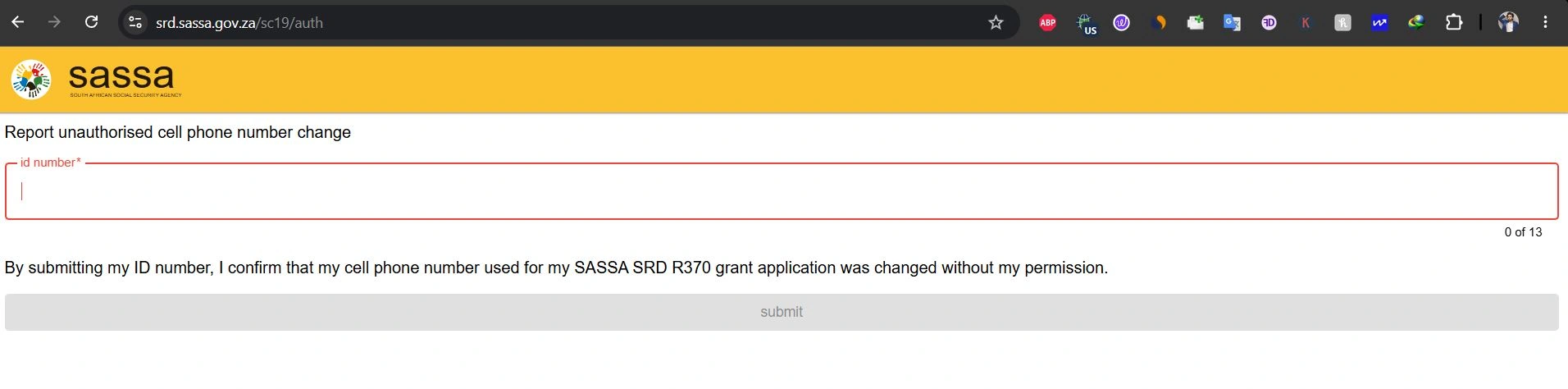
If your SRD number was changed without your knowledge, report it right away. An unauthorized change can redirect your grant payment to someone else.
- Go to https://srd.sassa.gov.za/sc19/auth
- Enter your 13-digit ID number
- Confirm the unauthorised change
- Submit and follow the on-screen security steps
Fixing Common Errors During the SASSA Number Update
| Problem | Fix |
| “Invalid number” message | Use a 10-digit number starting with 0 |
| Landline entered | Switch to a mobile number |
| Page won’t load | Clear browser cache or try another browser |
| Error on one device | Try a different phone or computer |
| Portal down | Wait a few hours and retry |
Still stuck? Call the SASSA helpline on 0800 60 10 11 for direct support.
How Long Does SASSA SRD take to Update a Phone Number?
| Method | Typical Processing Time |
| Online portal | Up to 14 working days |
| WhatsApp (0600 123 456) | Up to 14 working days |
| In-person SASSA office visit | Often same day |
| High-demand periods | Up to 40 working days |
Important Note: Update your number well ahead of your expected payment date to avoid delays to your grant.
Conclusion
Updating your SASSA SRD R370 phone number in 2026 is straightforward once you know the right channel. The official portal at srd.sassa.gov.za/sc19/mobile-number-update works fastest if you still have your ID and Application ID. No OTP access or lost Application ID?
A visit to your nearest SASSA office, ID in hand, solves it directly through the Department of Social Development‘s in-person verification process. Act early your access to this welfare grant depends on it.
Frequently Asked Questions
Everything you need to know about changing your SASSA SRD R370 phone number.
Visit srd.sassa.gov.za/sc19/mobile-number-update, enter your ID number, pass identity verification, then confirm your new number with an OTP.
Check srd.sassa.gov.za/sc19/status with your ID number, or visit a SASSA office with your ID document.
No. Without OTP access, you must visit a SASSA office for manual identity verification.
Usually up to 14 working days, rising to 40 working days during high-demand periods.
Yes. Message 0600 123 456, send “Hello,” then follow the prompts to request a change.
No. SASSA never charges for updating contact details. Payment requests are scams.
Report it immediately at srd.sassa.gov.za/sc19/auth under “Report Lost or Stolen Phone.”
No. The number must belong to you and be accessible only by you, for security reasons.
Poor lighting, unstable internet, or a dirty camera lens are common causes.
Your ID may be temporarily locked. Wait 30 to 60 minutes before retrying.
No. Only valid 10-digit South African mobile numbers are accepted for OTPs.
SASSA administers the grant under South Africa’s Department of Social Development.