How to Change Your SASSA Banking Details for SRD Grant in 2026?
Did your bank account close or change? You must update your SASSA banking details through the SASSA SRD website before your next payment date. This guide shows the exact steps, common errors to avoid, and how long the update takes to process.
Quick Answer: To change your SASSA Banking Details for SRD Grant visit https://srd.sassa.gov.za/sc19/banking-details-update and type in your 13-digit South African ID number. SASSA will text a one-time PIN to your phone on file enter it to move forward. Then tap Verify Identity and complete a quick face scan. Once that’s done, add your new bank account (it must be under your own name) and hit submit. Only future payments will reflect the change.
Why Do SASSA Banking Details Need Updating?
Missed grant payments usually trace back to one simple problem: outdated banking information on file. SASSA only pays the SRD R370 grant into an account that is active and registered in the recipient’s own name.
Common reasons recipients need to update their details include:
- They closed their old bank account and opened a new one
- Their bank froze or suspended the account
- They switched banks, for example moving from Capitec to TymeBank
- They typed the wrong account number during their original application
- The account on file belongs to someone else, not the applicant
SASSA is administered by the South African Social Security Agency, which pays social grants to more than 26 million beneficiaries across the country. At that scale, even a small percentage of banking errors adds up to a large number of delayed payments every month.
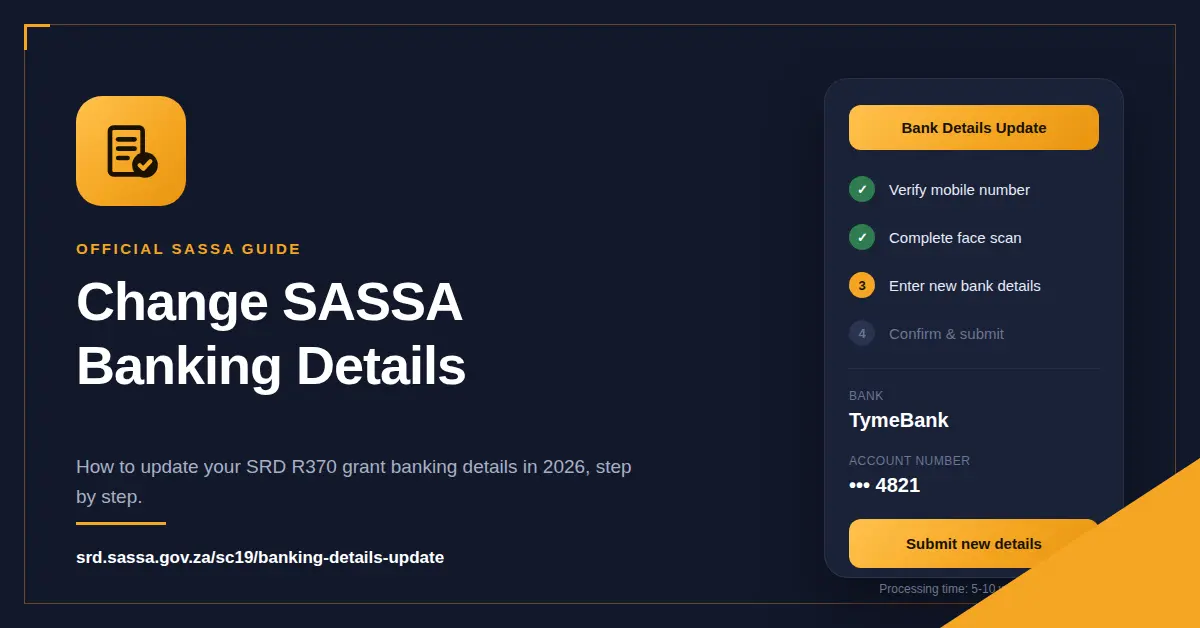
What You Need Before You Start?
Gather these items before starting the update. Having everything ready the first time avoids a failed submission.
| Requirement | Details |
| South African ID number | 13-digit ID, green barcoded book or smart ID card |
| Registered mobile number | Must match the number linked to your original SRD application |
| New bank account details | Account number, bank name, and account type (savings or cheque) |
| Active bank account | Must be open, active, and registered in your own name |
Never use a family member’s or friend’s bank account. SASSA checks account ownership against banking institution records as part of its verification process, and a mismatch will block the payment.
How to Change Your SASSA Banking Details for SRD Grant in 2026?
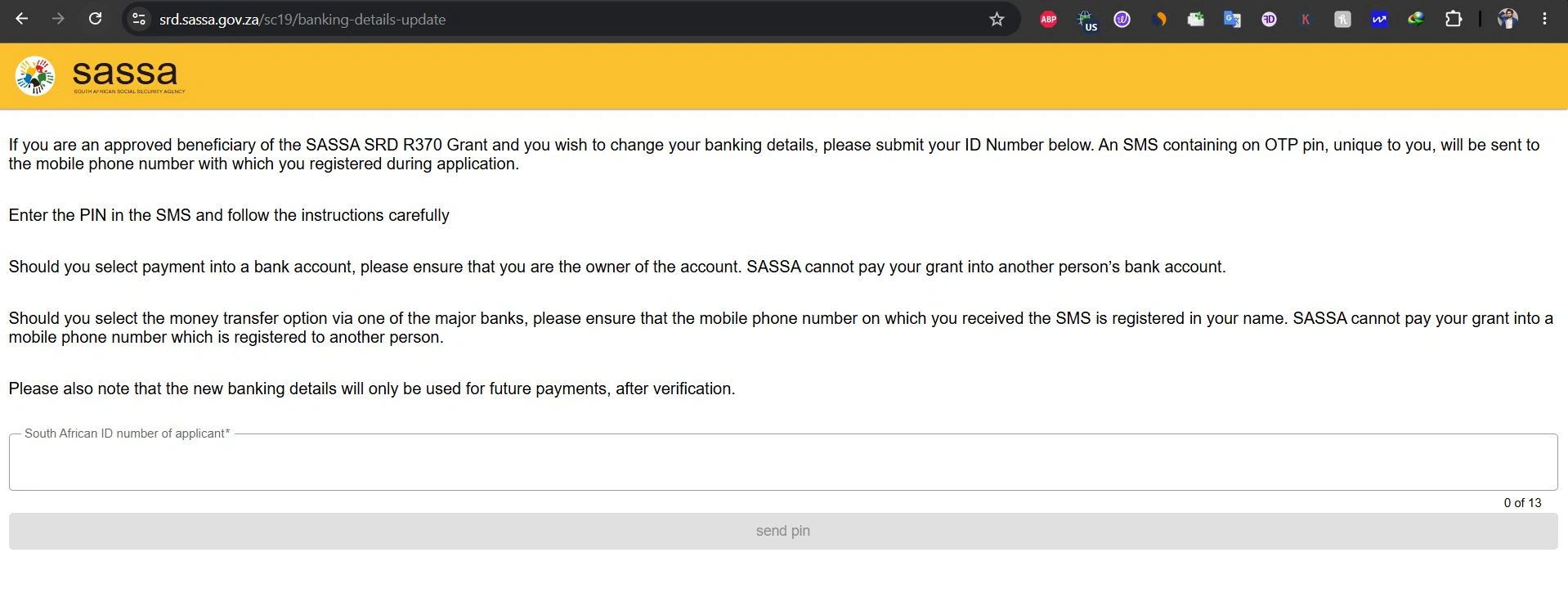
The official portal is https://srd.sassa.gov.za/sc19/banking-details-update. This is the only site to trust for this update. It is free, and no legitimate SASSA official will ever ask for payment to process it.
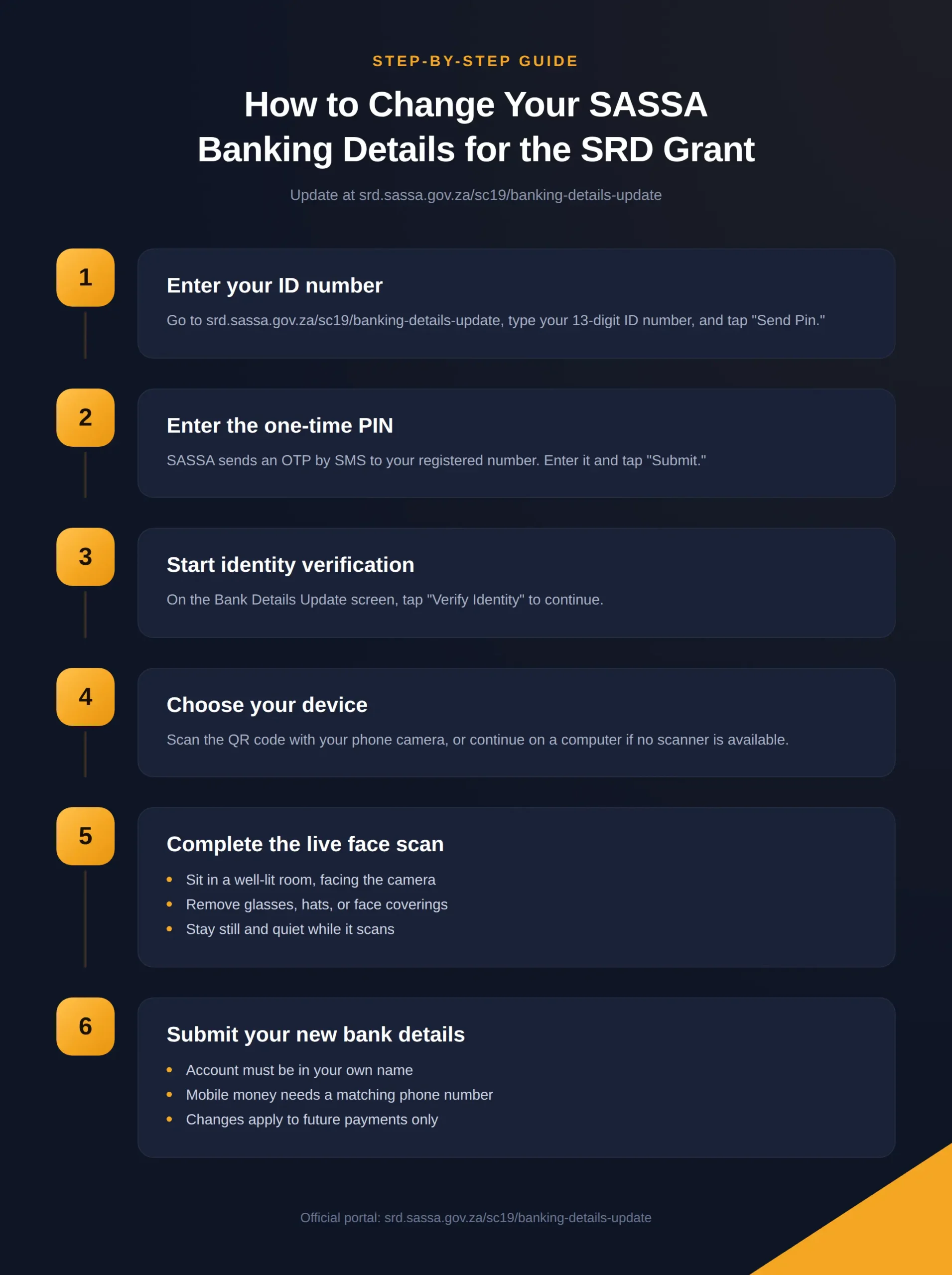
Step 1: Enter Your ID Number
Access https://srd.sassa.gov.za/sc19/banking-details-update and type your 13-digit South African ID number into the field on the homepage and Click Send Pin. Check every digit before clicking, since a single typo will stop the process.
Step 2: Enter the One-Time PIN
SASSA sends an OTP by SMS to the mobile number linked to your SRD record. Enter it on the next screen, and click “Submit”. If your number has changed, update it through the portal first — the system will not proceed without a valid OTP sent to a number you control.
Step 3: Start Identity Verification
A page titled “Bank Details Update” loads next. Click Verify Identity to continue. This step exists specifically to stop fraudsters from redirecting someone else’s grant to their own account.
Step 4: Choose Your Device
The system works best on a smartphone. Scan the on-screen QR code with your phone’s camera, or continue directly on a computer if no scanner is nearby.
Step 5: Complete the Live Face Scan
The portal captures a live face scan and matches it against Home Affairs identity records. For the best result:
- Sit in a well-lit room, facing the camera directly
- Remove glasses, hats, or anything covering your face
- Stay still and quiet while the scan runs
If the scan fails repeatedly, your photo on file with the Department of Home Affairs may be outdated. Updating your ID photo at a Home Affairs branch usually resolves the mismatch.
Step 6: Submit Your New Bank Account Details
Once verification passes, enter your new account number, bank name, and account type. Keep these rules in mind:
- The account must be registered in your own name
- Mobile money transfer options also require your phone number to match your name
- Changes apply to future payments only, not to any grant already processed
How to Change SASSA Banking Details Using the Call Centre?
Recipients without reliable internet access can complete the update over the phone.
- Dial the toll-free SASSA helpline: 0800 60 10 11
- Select the option for SRD grant queries
- Tell the agent you need to update your banking details
- Confirm your ID number and answer the security questions
- Give your new bank name, account number, and account type
- Request a reference number before ending the call
The call centre operates Monday to Friday, 8:00 AM to 4:00 PM. Lines fill up quickly, so calling shortly after opening usually means a shorter wait.
How to Change SASSA Banking Details at a SASSA Office?
Some recipients prefer sorting this out in person. It takes longer, but you can ask questions directly and walk away with proof of submission.
Bring the following:
- Your South African ID book or smart ID card
- Proof of your new account — a bank statement or a letter from the bank works
- Your registered mobile phone, in case an OTP is needed on-site
Join the general enquiries queue, explain that you need to update SRD banking details, and complete the form given to you. Always request a stamped copy before leaving, and store it somewhere safe.
How to Switch Your SASSA SRD Grant to TymeBank?
TymeBank has become a common choice among SRD recipients because it charges no monthly fees and allows free cash withdrawals at Pick n Pay and Boxer stores nationwide.
To switch your grant payment to TymeBank:
- Confirm your TymeBank account is active and fully verified
- Go to srd.sassa.gov.za and open the banking details section
- Enter your 13-digit ID number
- Click the secure link sent to your registered phone
- Select TymeBank from the list of available banks
- Enter your TymeBank account number and choose “savings” as the account type
- Submit and wait for confirmation
TymeBank kiosks inside Pick n Pay and Boxer stores let shoppers open an account in under five minutes using a fingerprint and an ID document.
How to Update SASSA Banking Details Using the Moya App?
The Moya App offers a zero-data way to manage SRD grant details, which matters for recipients with limited airtime or data.
- Download Moya from the Google Play Store or Apple App Store
- Log in using your SASSA registered information
- Tap “SASSA Services,” then “Update Banking Details”
- Enter your new bank name, account number, and account type
- Review everything carefully, then tap “Submit”
- Wait for the in-app confirmation message
Moya also shows SRD payment dates and application status, all without using mobile data.
What Happens if You Enter the Wrong Banking Details?
Mistakes happen, but speed matters more than perfection at this point.
- Log back into srd.sassa.gov.za as soon as you notice the error
- Open the banking details section and review what was submitted
- Click “Update” and enter the correct account information
- If the website won’t allow changes, call 0800 60 10 11 immediately
Check every digit of your account number three times before submitting any future update.
Why Getting This Right Matters More in 2026?
SASSA isn’t just processing updates faster this year it’s checking them harder. The agency now cross-verifies grant data against banks, credit bureaus, SARS, NSFAS, and correctional services as part of a National Treasury-mandated compliance drive.
SASSA has stepped up reviews of social grants, suspending about 70,000 for non-compliance after reviewing roughly 240,000 grants, partnering with credit bureaus, banks, SARS, NSFAS, government payroll systems and correctional services to verify income and eligibility.
By December 2025, SASSA had checked the bank accounts of about six million clients and eight million credit bureau records, flagging 291,581 people for review. This means mismatched or incorrect banking details don’t just delay your payment they can trigger a manual review of your entire grant. Submitting accurate, verified details the first time avoids that entirely.
The stakes are also higher because of how long the SRD grant is sticking around. The 2026 Budget extended the SRD R370 grant until 31 March 2027 through an additional R36.4 billion allocation, but it did not increase the amount. Unlike most other SASSA grants, which rose in April 2026, the R370 SRD amount stayed frozen. With no increase in sight, missing even one month’s payment due to a banking error is money most recipients can’t afford to lose. (According to SANews)
How Long Does SASSA Take to Update Banking Details?
SASSA generally processes banking updates within 5 to 30 working days, though most people see a result within two weeks. SRD R370 payments are released in batches between the 23rd and the end of each month, so timing your update matters.
To avoid a missed payment:
- Submit updates at least 10 days before your expected payment date
- Check your status at srd.sassa.gov.za/sc19/status after submitting
- Contact 0800 60 10 11 if payment hasn’t reflected after 10 working days
Common SASSA Banking Update Mistakes to Avoid
| Mistake | What Happens | How to Avoid It |
| Wrong account number | Payment fails or lands in the wrong account | Check every digit twice before submitting |
| Account not in your name | SASSA blocks the payment | Only use an account registered to you |
| Using a closed account | Payment bounces back | Confirm the account is currently active |
| Updating too close to payment date | Change doesn’t process in time | Submit at least 10 days early |
| Using unofficial websites | Personal details can be stolen | Only use srd.sassa.gov.za |
How to Protect Your SASSA Banking Details From Scams?
Scammers target grant recipients through fake websites, fake SMS messages, and phone calls pretending to represent SASSA.
- SASSA will never request your PIN or password by SMS or phone call
- Confirm the web address starts with srd.sassa.gov.za before entering details
- Never click links sent by strangers claiming to be from SASSA
- Report suspicious activity to the SASSA fraud hotline: 0800 601 011
- Never pay anyone to update your banking details — the service is free
For general guidance on spotting financial scams, the South African Reserve Bank publishes consumer alerts covering common banking fraud tactics used against grant recipients.
Conclusion
Updating your SASSA SRD banking details in 2026 is free and takes only a few minutes online at srd.sassa.gov.za. You can also handle it by phone through 0800 60 10 11, in person at a SASSA office, through the Moya App, or by switching to a bank such as TymeBank.
With SASSA now running tighter verification checks across banks, credit bureaus, and government payroll systems, accuracy matters more than ever. Always use an active account registered in your own name, submit changes at least 10 days before your payment date, and never share your banking details with strangers.
Keeping your information current means your grant arrives every month without interruption right through to March 2027, when the current SRD extension is due to expire.
Frequently Asked Questions
Everything you need to know about updating your SASSA SRD R370 banking details in 2026.
Visit https://srd.sassa.gov.za/sc19/banking-details-update, enter your ID number, complete OTP and face verification, then submit your new account details. You can also call 0800 60 10 11 or visit a SASSA office.
Most updates process within 5 to 7 working days, though it can take up to 10 working days in busier periods.
Yes. TymeBank is accepted for SRD payments. Open an account at a Pick n Pay or Boxer kiosk, then update your details on the SASSA portal.
No. The service is completely free. Anyone asking for payment is running a scam.
No. Only the grant recipient can update their own details, which protects the account from unauthorised changes.
Log back into srd.sassa.gov.za immediately to correct it, or call 0800 60 10 11 if the site won’t allow changes.
Yes. Moya works at zero data cost, letting you update details and check payment status for free.
Any South African bank account in your own name works, including Capitec, Absa, FNB, Standard Bank, Nedbank, and TymeBank.
It usually means your photo doesn’t match Home Affairs records. Updating your ID photo at a Home Affairs branch often fixes this.
Update your phone number on the SRD portal first, since OTP verification requires access to that number.
No. Updated details only apply to future payments, not to grants already processed to the old account.
Yes. The grant was extended until 31 March 2027 through additional government funding, though the amount remains unchanged at R370.